 Recola
How to organize your Instagram saved posts
By Cayden and Eden, Recola's founders. Updated .
Instagram lets you sort saved posts into collections. Hold the bookmark when you save a post to choose one, or open Saved from the menu on your profile and tap the plus to make one. That works until you have hundreds of saves, because every post is filed by hand and nothing inside a post can be searched.
Recola files each post for you by what is in it: recipes into Recipes, places into Places, workouts into Workouts, and so on across ten collections, from Instagram, TikTok and YouTube alike.
The free way: Instagram collections
Collections are built into Instagram and cost nothing. Menus move between app updates, so if a label differs, look for Saved.
Make your collections
Open your profile, tap the menu, then Saved. Tap the plus, name a collection, and pick the saved posts that belong in it.
File as you save
From now on, press and hold the bookmark under a post instead of tapping it, and choose the collection.
Work through the backlog
Open a collection and add saved posts to it a screen at a time. A post can sit in more than one collection.
It works, but it is all by hand. Every post needs a decision, a post filed in the wrong place is as good as lost, and you can't search saves by what is in them. It also only covers Instagram, while the same kind of saves pile up in TikTok and YouTube.
With Recola: saves file themselves
Recola is an iPhone app for everything you save. Instead of tapping the bookmark, you share the post to Recola.
Share the post
On the reel or post, tap the paper plane, then Share to in the row of options along the bottom.
Pick Recola
In the iPhone share sheet, tap Recola, or Save to Recola in the list under the apps. The first time, you may need to tap More to find it. After that it stays in reach.
Tap Done and keep scrolling
Recola confirms the save in about a second. It reads the video while you carry on, and lets you know when it has been filed.
Let it sort itself
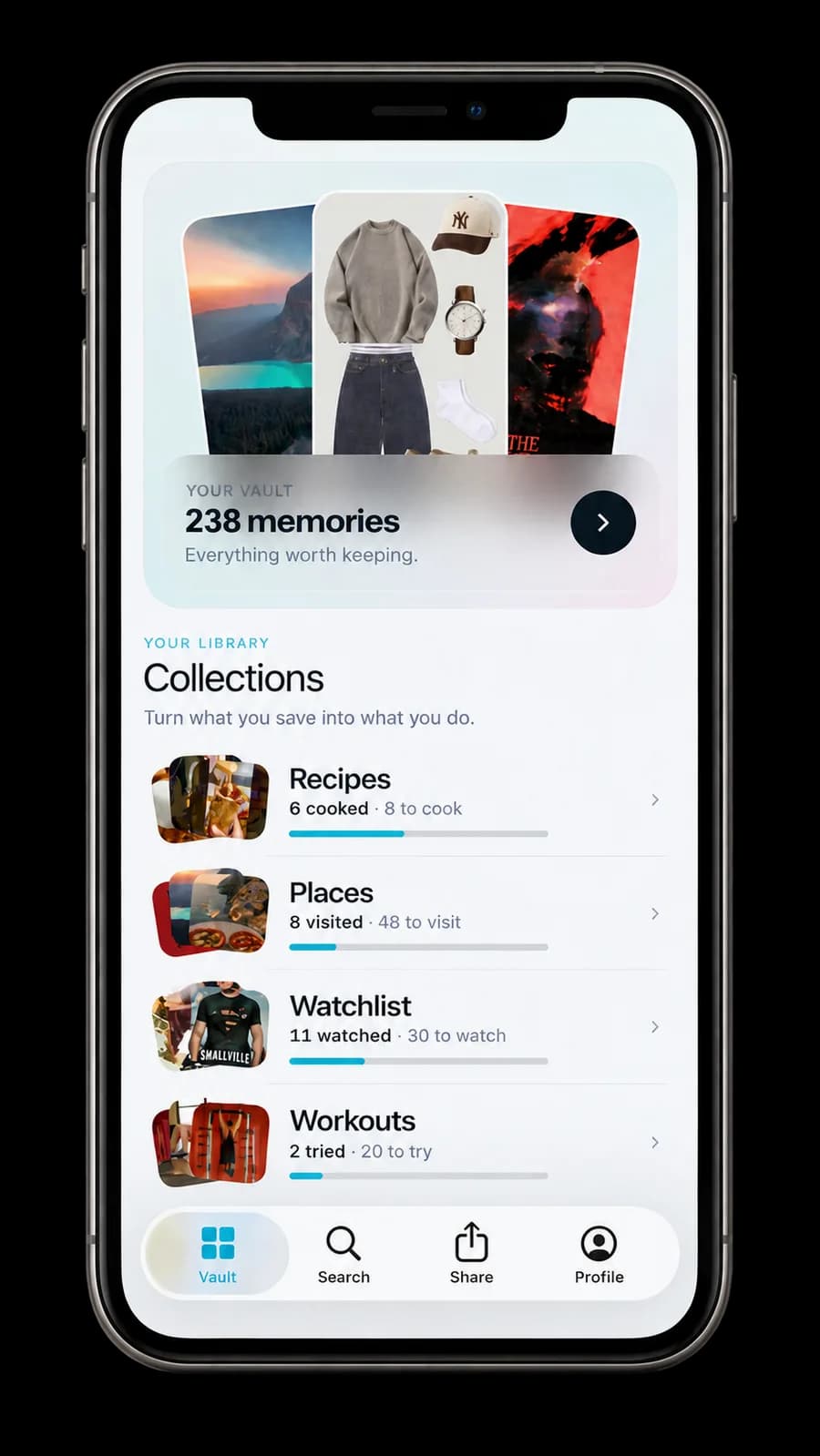
Recola reads the post and files what it finds: a recipe into Recipes, a restaurant into Places, a workout into Workouts. A post with three things in it lands in three places.
What changes
- No filing. Every save is sorted into one of ten collections: Recipes, Places, Watchlist, Workouts, Books, Songs, Outfits, Products, Decor and Events.
- The useful part pulled out: the recipe's ingredients, the restaurant's address, the film's poster and where to watch it.
- Search by what you remember, like the ramen place in Tokyo, months later.
- Saves come back when they are useful, instead of sinking.
- Instagram, TikTok and YouTube saves in one place.
Questions
Can Recola import all my Instagram saved posts at once?
Not in one go. Instagram and TikTok don't let other apps see your saved folders, so you share posts to Recola one at a time. The easy habit is to share instead of tapping the bookmark from now on, and to pass old saves over to Recola whenever you come across them.
Are my saves private in Recola?
Yes. Nothing you save is published, shared or visible to anyone else.
Does Recola work with reels and carousels?
Yes. Recola reads a reel's video and audio, every slide of a carousel, and the caption.
Does Recola work on Android?
Not yet. Recola is on iPhone today.
Is Recola free?
Saving inside the app you found it in is free. Recola is a subscription through the App Store, and the Monthly and Annual plans start with a free trial.